Quick Start Guide
Welcome to NestOPS. We have replaced outdated WhatsApp groups and clunky spreadsheets with a modern, secure, and transparent digital portal for your apartment. Here is how to get started.
1. Install the App
Our official Android application is now live on the Google Play Store! For iPhone users, our native iOS app is currently under review, but you can install the platform directly to your home screen for the full native experience in the meantime.
iOS (iPhone/iPad)
- Open nestops.in in Safari.
- Tap the Share icon at the bottom.
- Scroll down and tap "Add to Home Screen".
Step-by-Step Tutorial Slideshow
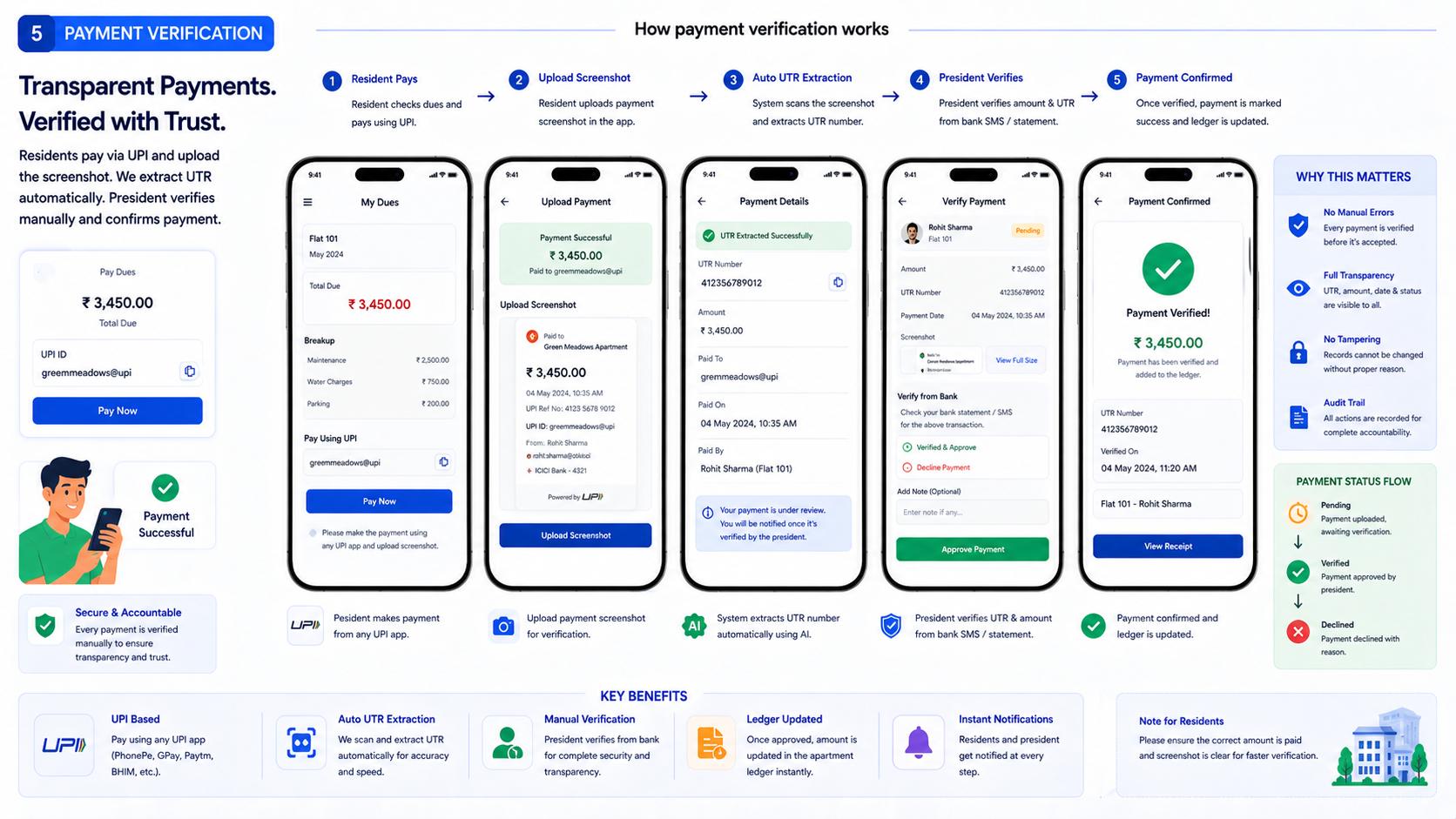
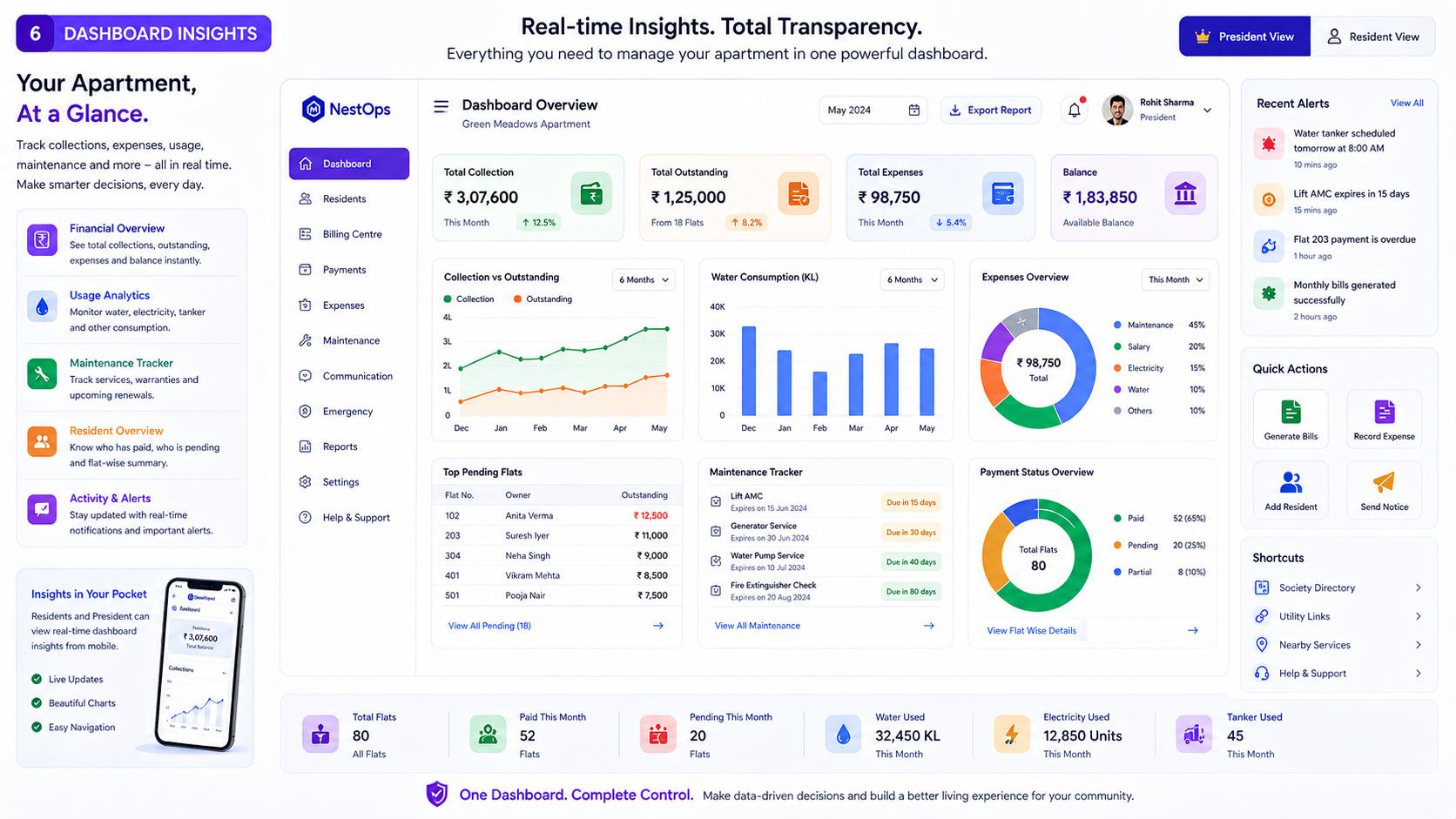
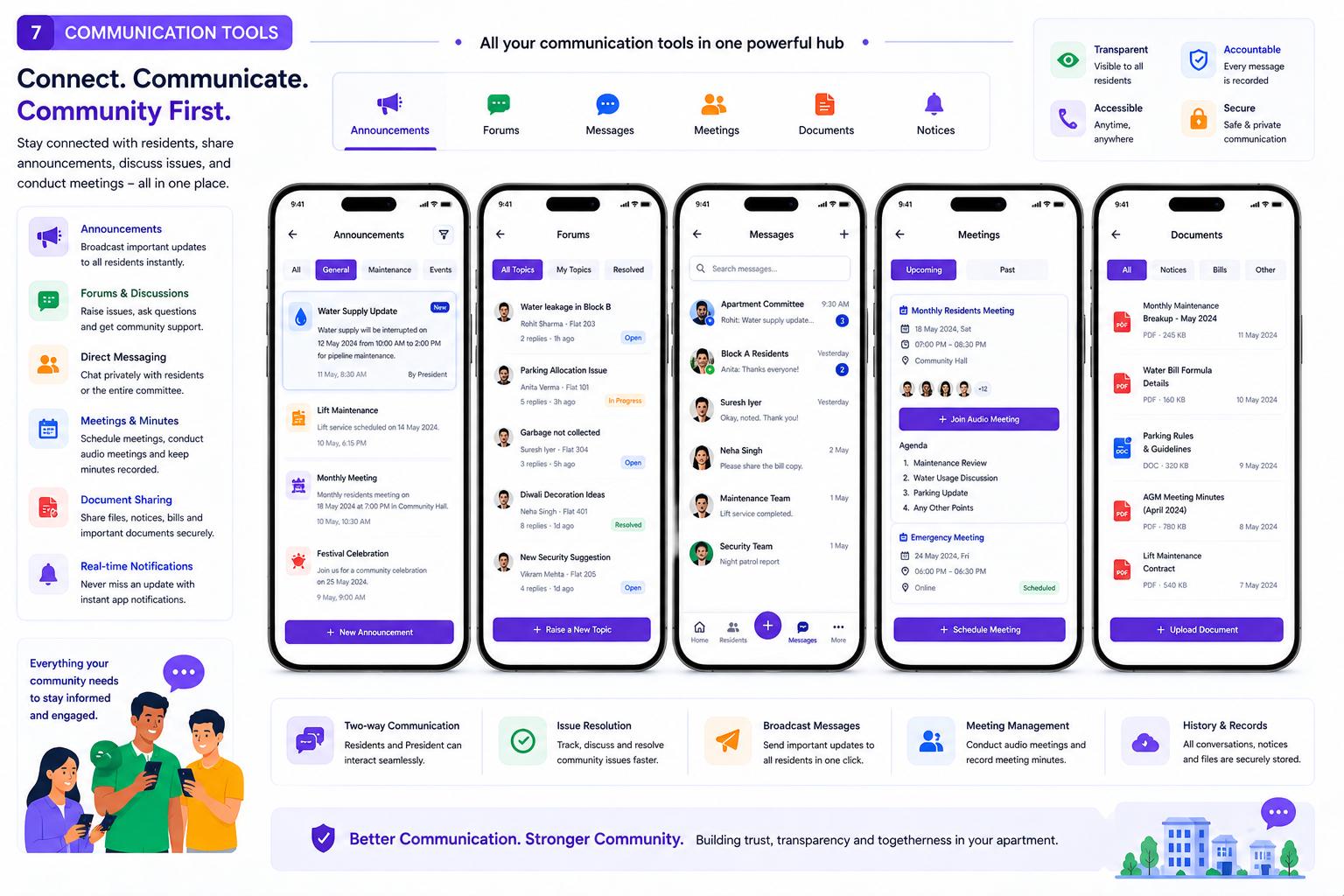
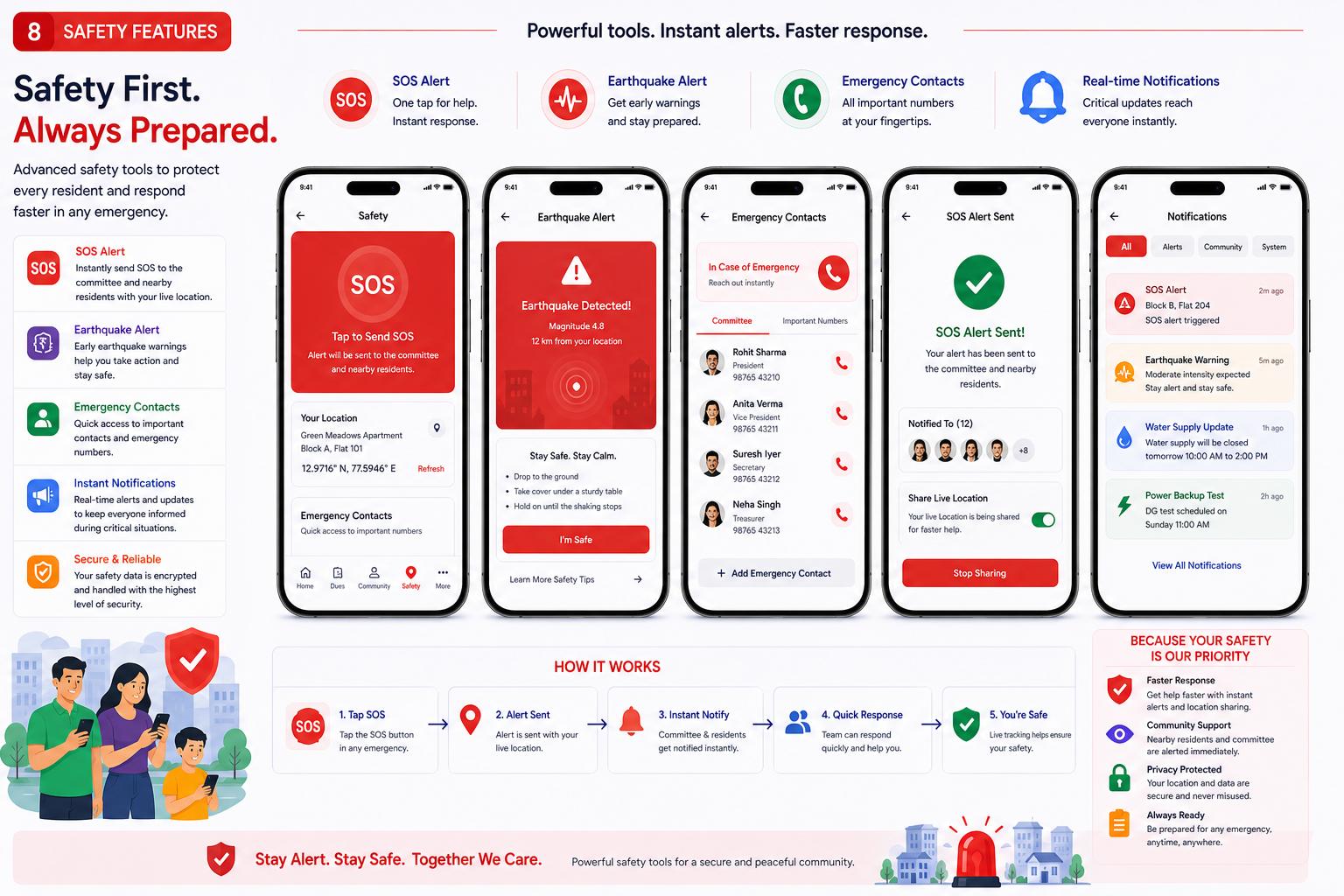
Swipe through our official presentation below to see exactly how to navigate & use the NestOPS President and Resident portals.
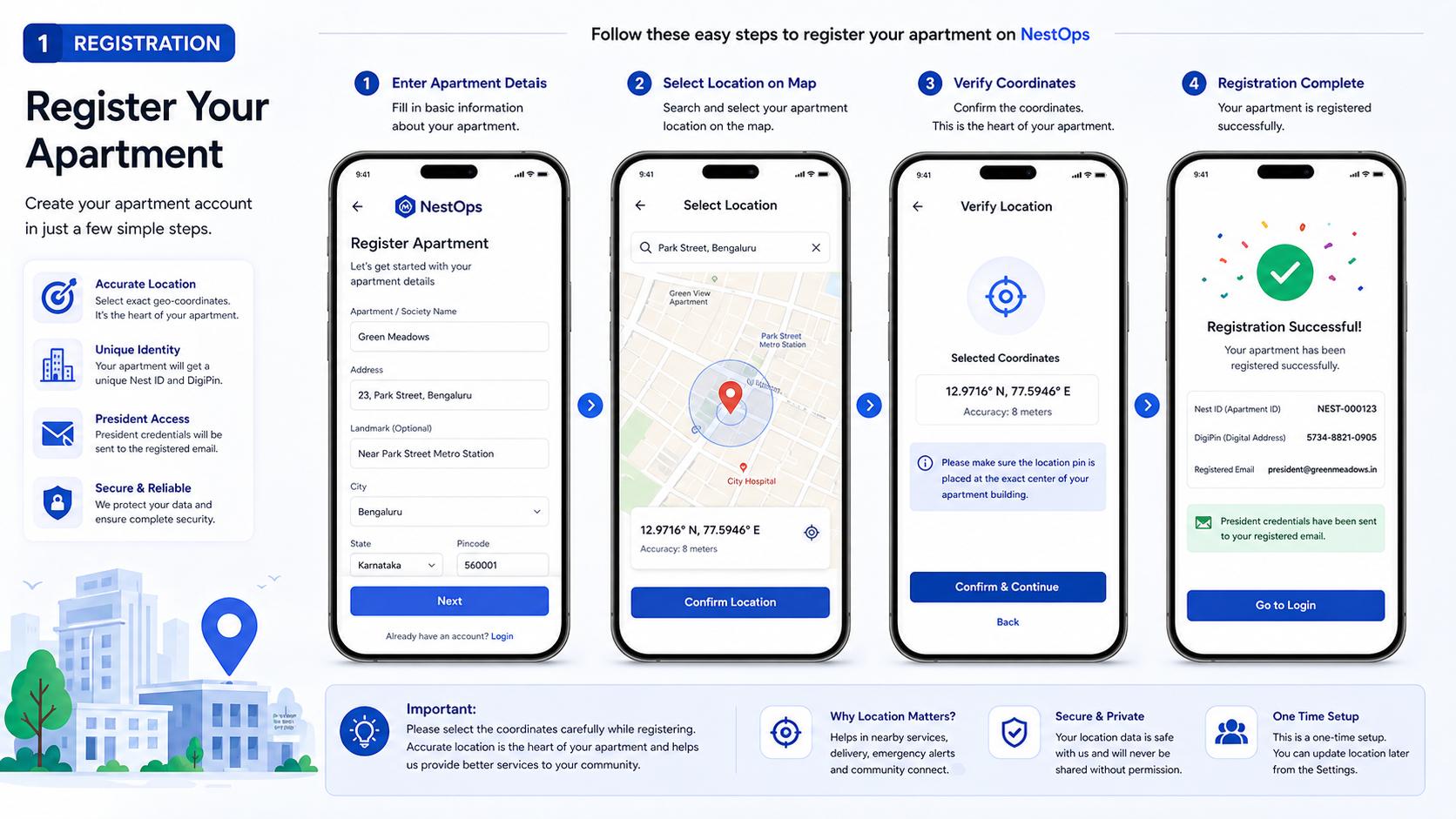
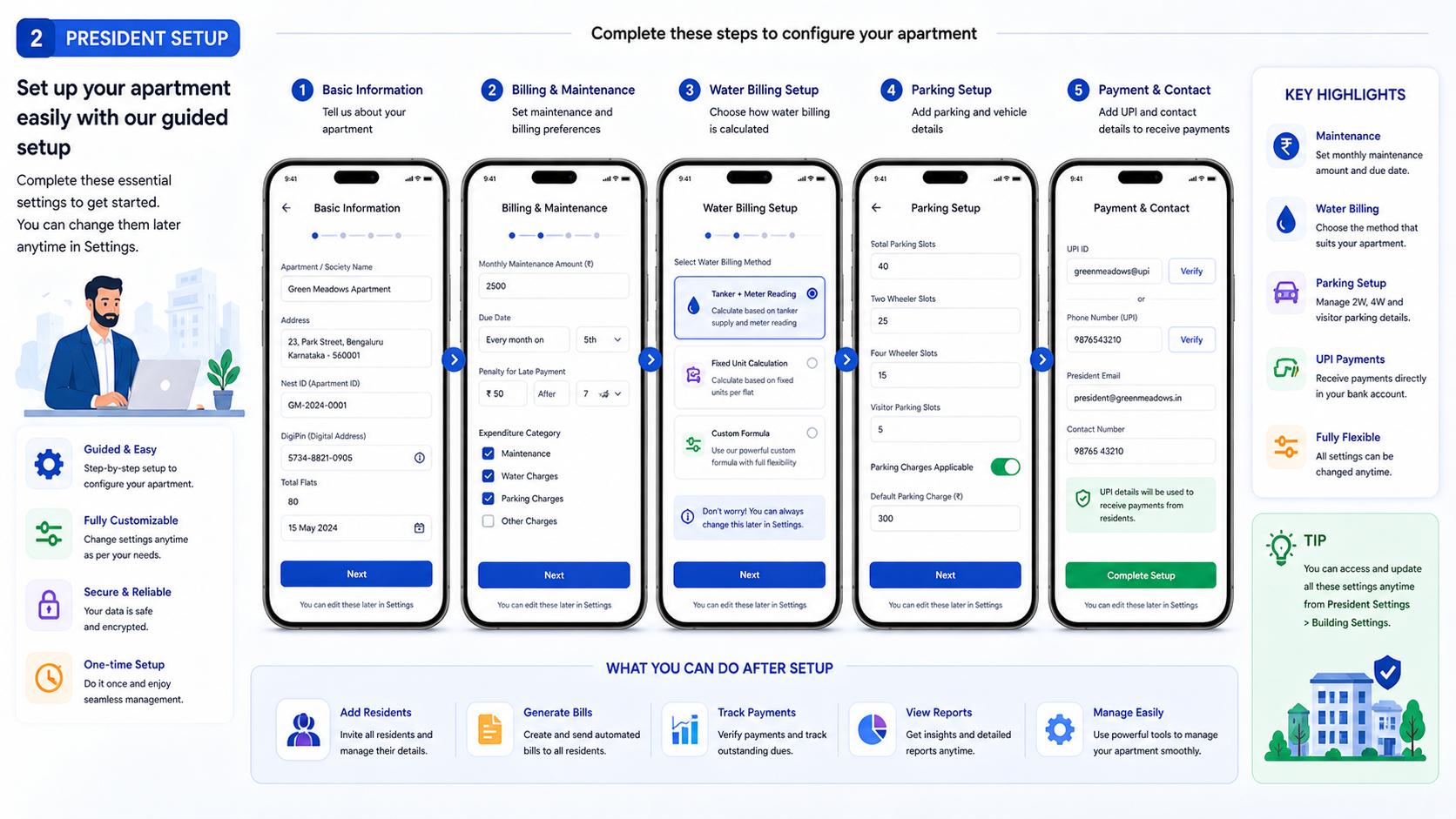
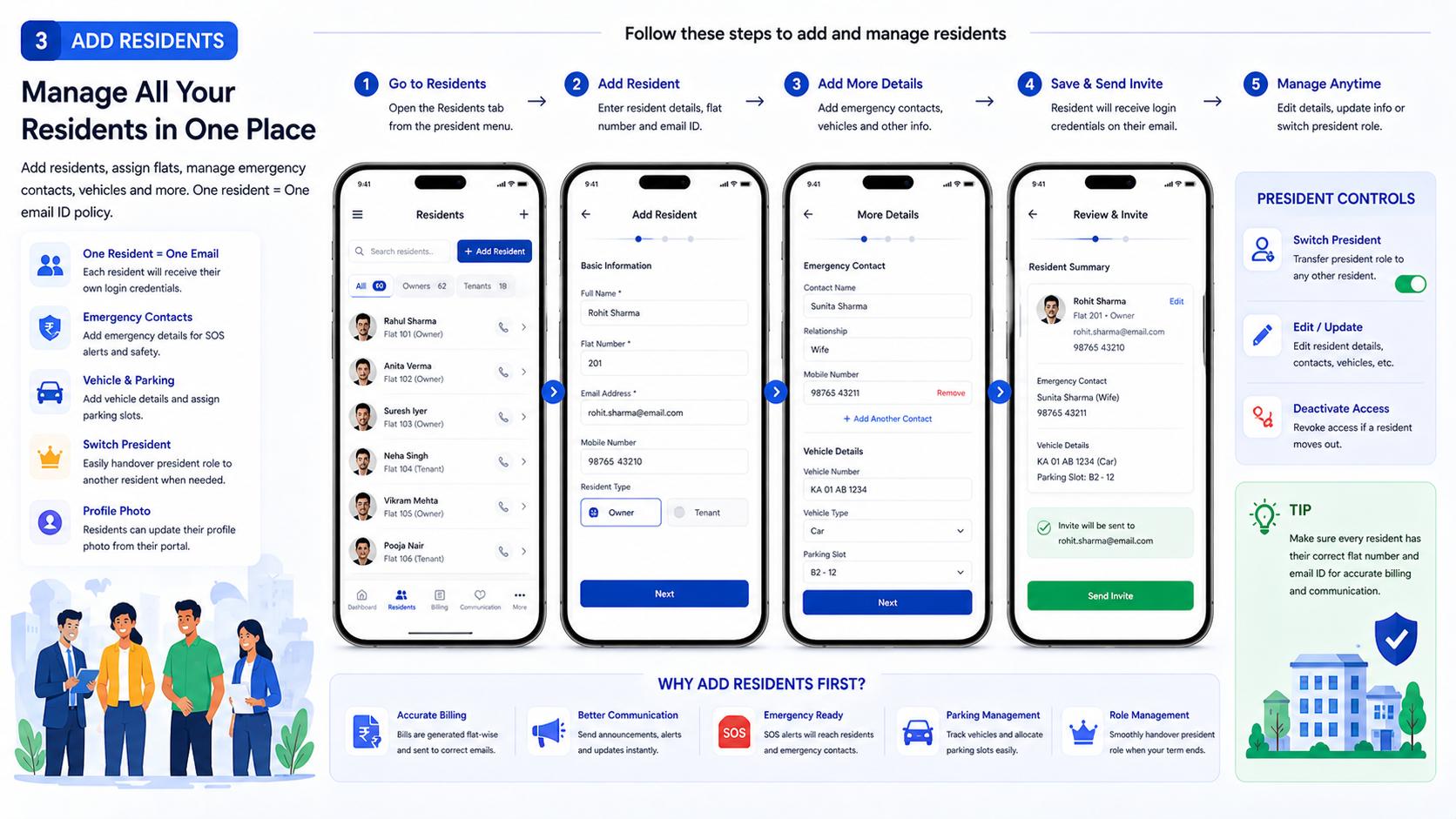
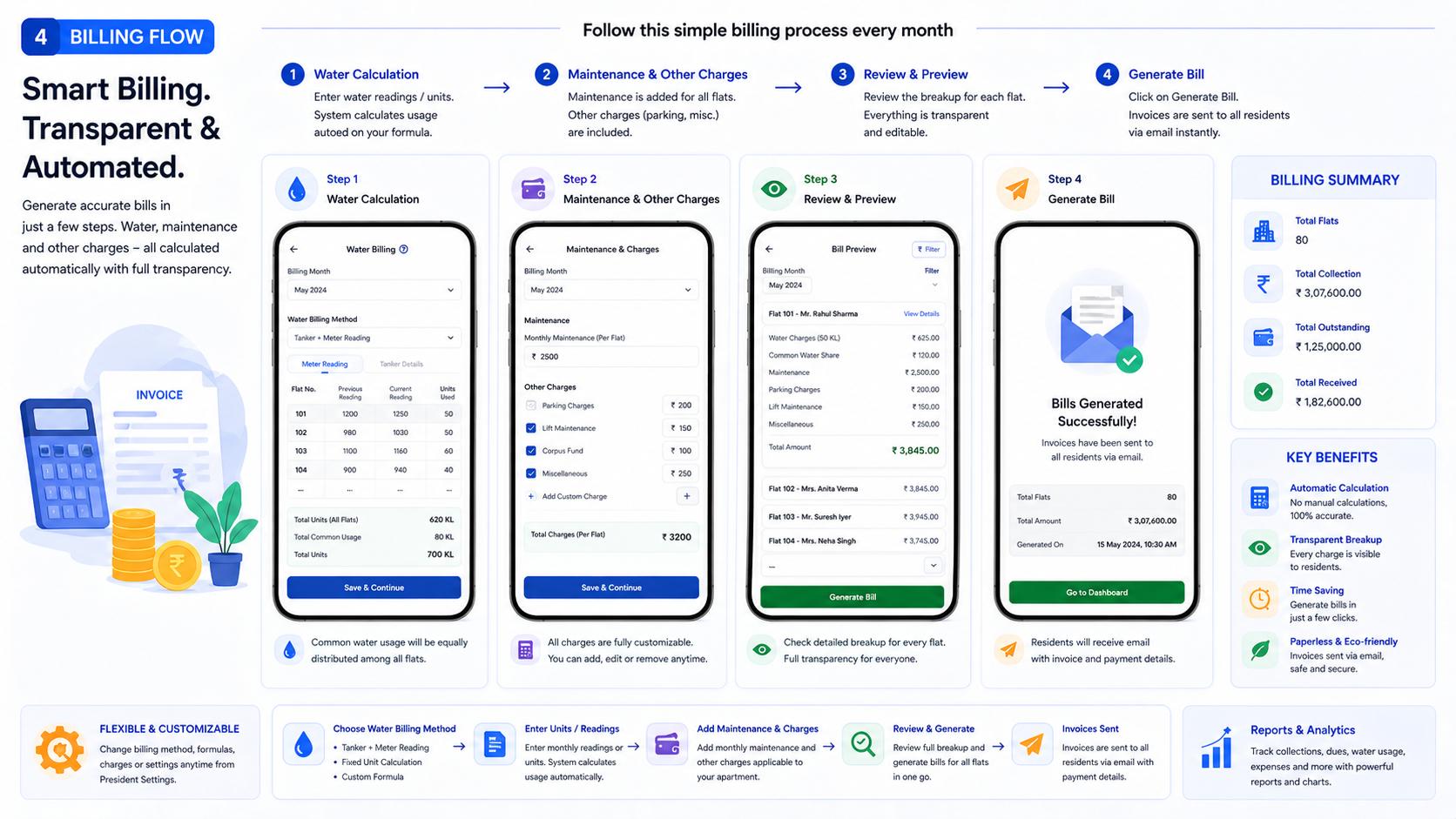
← Swipe to view presentation →
2. President's One-Time Setup
Set it once, run it forever
Transitioning to NestOPS is a breeze if you gather a few details beforehand. Migrating your society requires just a single, one-time setup. Once configured, monthly management becomes entirely automated.
The Pre-Launch Checklist
Before starting the onboarding tour, please keep this information handy:
- Resident Data: Email addresses, primary contact numbers, and emergency contact numbers for all flat owners/tenants.
- Building Assets: The exact count of 2-Wheeler and 4-Wheeler parking slots available in your cellar/stilt.
- Financial Baselines: Your current society bank account balance (Opening Balance) and the official Society UPI ID.
- The Guided Tour: Follow the initial setup wizard to configure your building rules. Input your maintenance formulas and UPI details so residents see exactly where to pay in their portal.
- Resident Onboarding: Add your residents using the data gathered above (One Flat = One Email). Once added, the system handles the rest. Residents can later upload their own profile photos and vehicle numbers.
- Term Handover: Moving out or term ended? You can securely hand over President controls to any other resident with a simple toggle.
3. The Zero-Tamper Ledger
NestOPS completely eliminates financial disputes. The dashboard clearly displays total collections, balances, and expenditures for ultimate transparency.
- 2-Step Billing: Step 1 calculates water (equally distributed or by unit). Step 2 adds flat maintenance. Click 'Generate', and every flat owner receives an automated email invoice.
- Accountable Payments: Residents pay via UPI and upload the UTR screenshot. The President manually verifies this against bank statements. If declined or corrected, the reasons are permanently recorded in the ledger—preventing any tampering.
- Expenditure & Breakups: Use the expenditure utility to track all society spending. Generate and send detailed monthly financial breakups to all residents directly from the dashboard.
4. Digital Governance & Utilities
Why should only massive gated communities have smart features? Your Nest ID is your society's digital identity, and your DigiPIN is your hyper-accurate postal address.
- Smart Widgets: Track water/power consumption via charts. Use the Maintenance Tracker for lift AMCs and warranties. Access external Utility Links (Power bill, property tax) and a local Society Directory (plumbers, electricians).
- Community Comms: Host virtual audio meetings with recorded notes. Use Forums for issue tickets, document sharing, and community discussions. Presidents can use the Broadcast Tool to instantly scroll urgent alerts (water/power cuts) to all screens.
- Crowdfunding & Support: Run internal crowdfunding campaigns for building renovations directly through the app. Got a bug? Use the floating NestOPS Dev Support widget to speak directly with our engineering team.
5. Life Safety, AI & Emergencies
NestOPS acts as a digital watchman for your building. Ensure you allow browser notifications to stay protected.
- Seismic & Weather Engine: Get instant Earthquake alerts with safety instructions. Tap the "I'm Safe" button so the President has an accurate head-count during rescues. Live Weather alerts and AQI indexes keep you informed.
- Emergency SOS: In case of a medical, fire, or security emergency, tap SOS. It instantly alerts all flatmates, displays your pre-registered emergency contacts, and maps out geo-located nearby emergency hospitals and services.
- NEST AI Insights: Our integrated AI constantly analyzes your society's data to provide actionable suggestions and best practices for building efficiency.